


This week, we will work with ChatGPT to help us draft FAQs for a news release. We will also run the same prompts through Google’s Gemini to compare how the two models perform. Regardless of your preferred AI model, you’ll save time and free yourself to focus on adding value to your corporate or political comms efforts.
Here’s what you’re going to get from today’s session:
Save significant time by drafting FAQs in seconds, allowing you to focus on refining the content to meet your communication objectives.
Surface a variety of questions from different perspectives, ensuring a comprehensive FAQ document.
Conduct a quality check of the FAQs.
Compare the output from two different AI models (ChatGPT and Google Gemini), providing a wider array of questions and potentially higher quality responses.
Increase confidence in the accuracy of the responses with built-in fact-checking in Gemini.
Improve corporate communicationsefficiency and productivity.
Let’s get to it!
Step 1: Begin with a Generated Knowledge Prompt
As you’ll recall from my Writing Prompts 101 Guide, one of my favourite tactics for getting quality answers from AI models is a Generated Knowledge prompt.
In this prompt, we ask the AI model to educate us on a topic or task before we ask it to do the task. This tends to work well because the model has this information top-of-mind for our follow-up prompts.
The knowledge I want ChatGPT to bring to the surface is simple: the basics of a quality FAQ doc:
Do you know what a FAQ document is in corporate communications?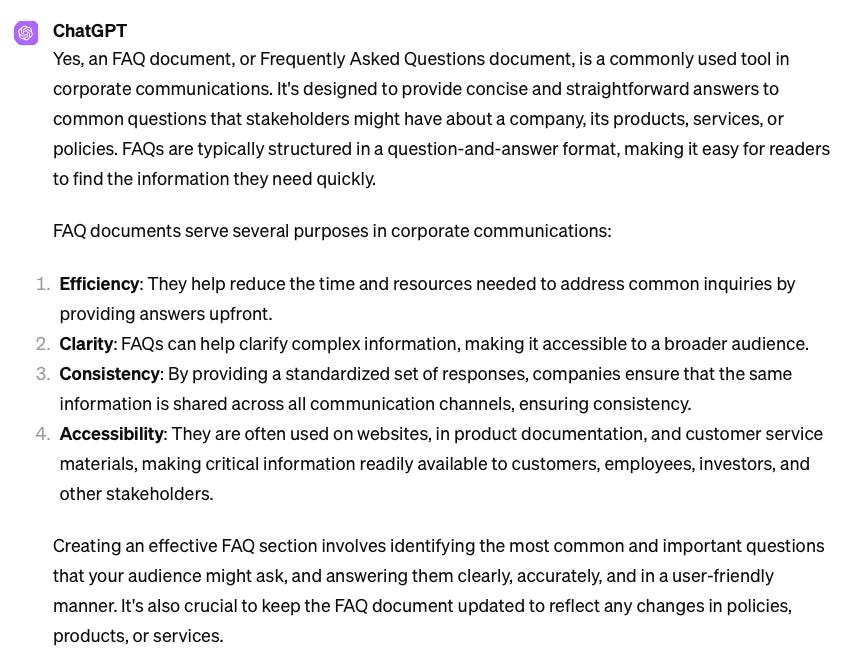
Step 2: Outline the steps you want to follow
One of the keys to getting quality responses from AI models is to break tasks down into smaller parts. I could simply ask ChatGPT to write me FAQs, but if I’m unhappy with the product, it may result in more work to have it edit the drafts to my liking. By breaking down the steps, I get to ensure I get the quality I need throughout the process, which will gets me a better final product.
I would like you to act as a seasoned communications expert and help me develop quality FAQs for a news release.  We will do this in the following steps:

1. I will provide you with the news release, from which you will identify 15 FAQs.
2. Once I have confirmed that these FAQs are suitable, you will draft responses to each of them.
3. Once I have confirmed that these answers are suitable, you will run a quality check on the answers against the four criteria you have identified above (Efficiency, Clarity, Consistency, and Accessibility).

Are you ready to begin?
Step 3: Flesh out the list of questions
Once ChatGPT confirms it’s ready to begin, paste your release as your next prompt. For this guide, I used a recent release from the Canadian federal government about a $11.2M investment in the country’s wheat sector.
Once I pasted in the news release, I got a great set of questions:
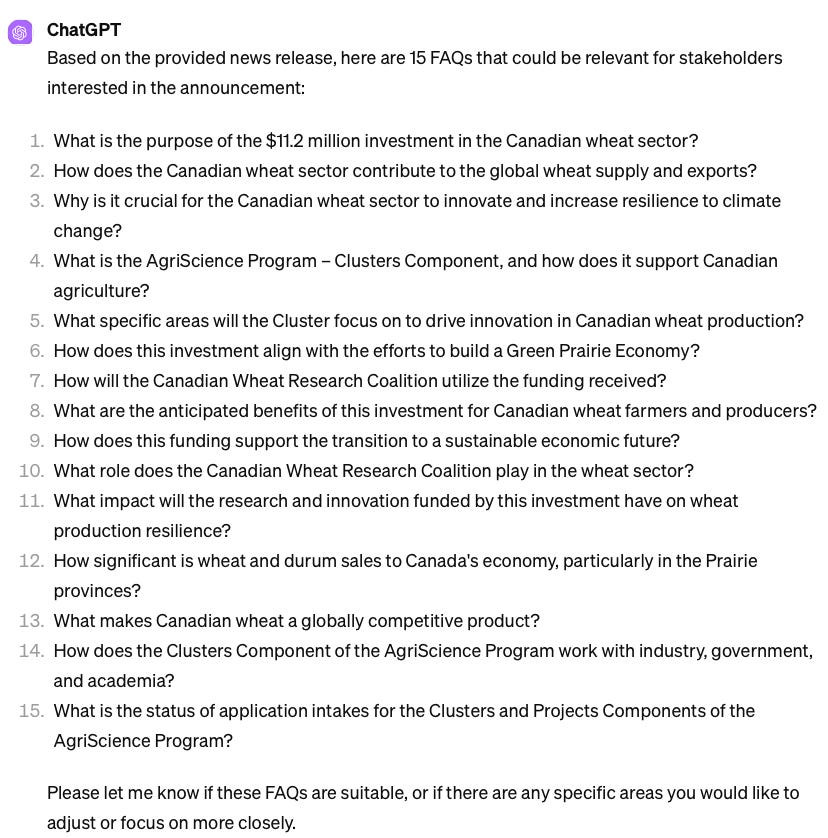
I could have (maybe?) come up with these questions in 15 minutes, but getting this working draft in seconds is still a big time saver. The truth is, I’m far from an agriculture expert, so I wanted to ensure critical audiences are accounted for in these questions:
I'd like to include questions that address concerns that specific audiences might have. Are there additional questions you would include for these audiences?

1. Farmers
2. Agriculture businesses
3. Academic researchers
4. The general public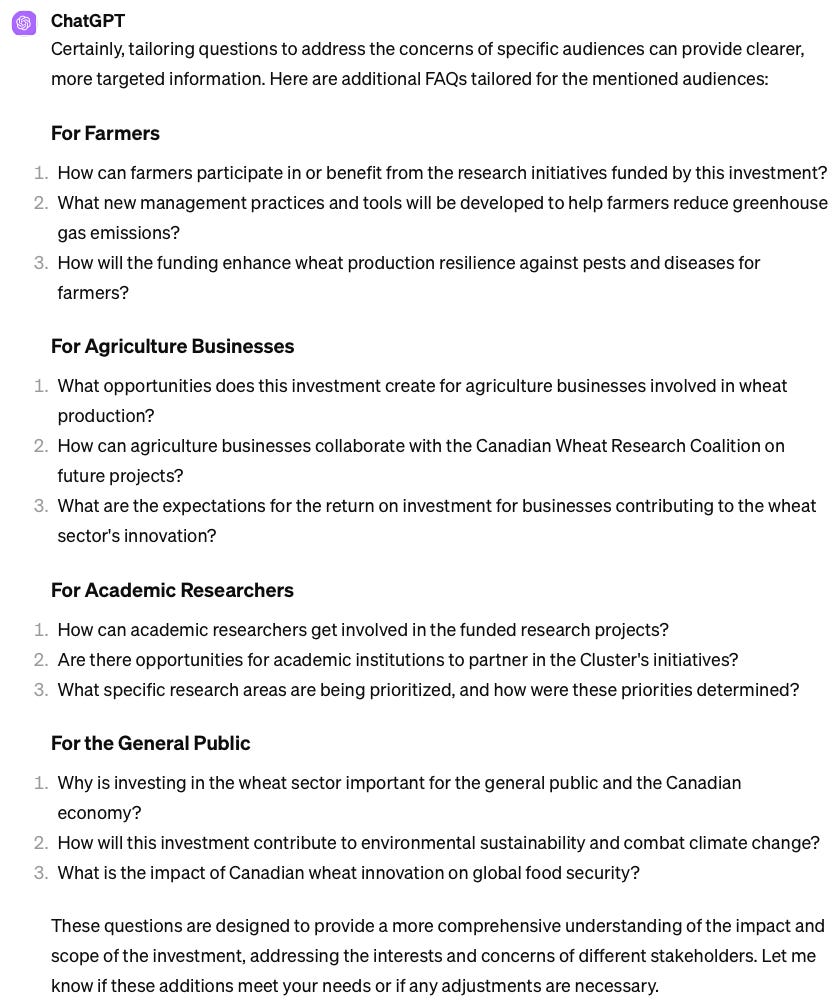
To keep things organized, I asked ChatGPT to include these questions and provide me with one compiled list of questions:
This is great. Let's add these to your original list of 15 questions. Can you compile them into one list?
The result is 27 questions that cover a wide range of possible topics about this announcement.
Now, on to the real time-saver: writing a first draft of each of these questions.
Step 4: Get the first draft of questions
From here, we continue with our four-step process.
Let's proceed to the next step. Please draft responses to each of these.

One important rule: you must be factual. If the question cannot be answered based on the news release, then say so instead of making up an answer.
You’ll notice I added a rule. I wanted to ensure that if any information gaps stemming from the news release surfaced, ChatGPT would identify these rather than try to fabricate an answer.
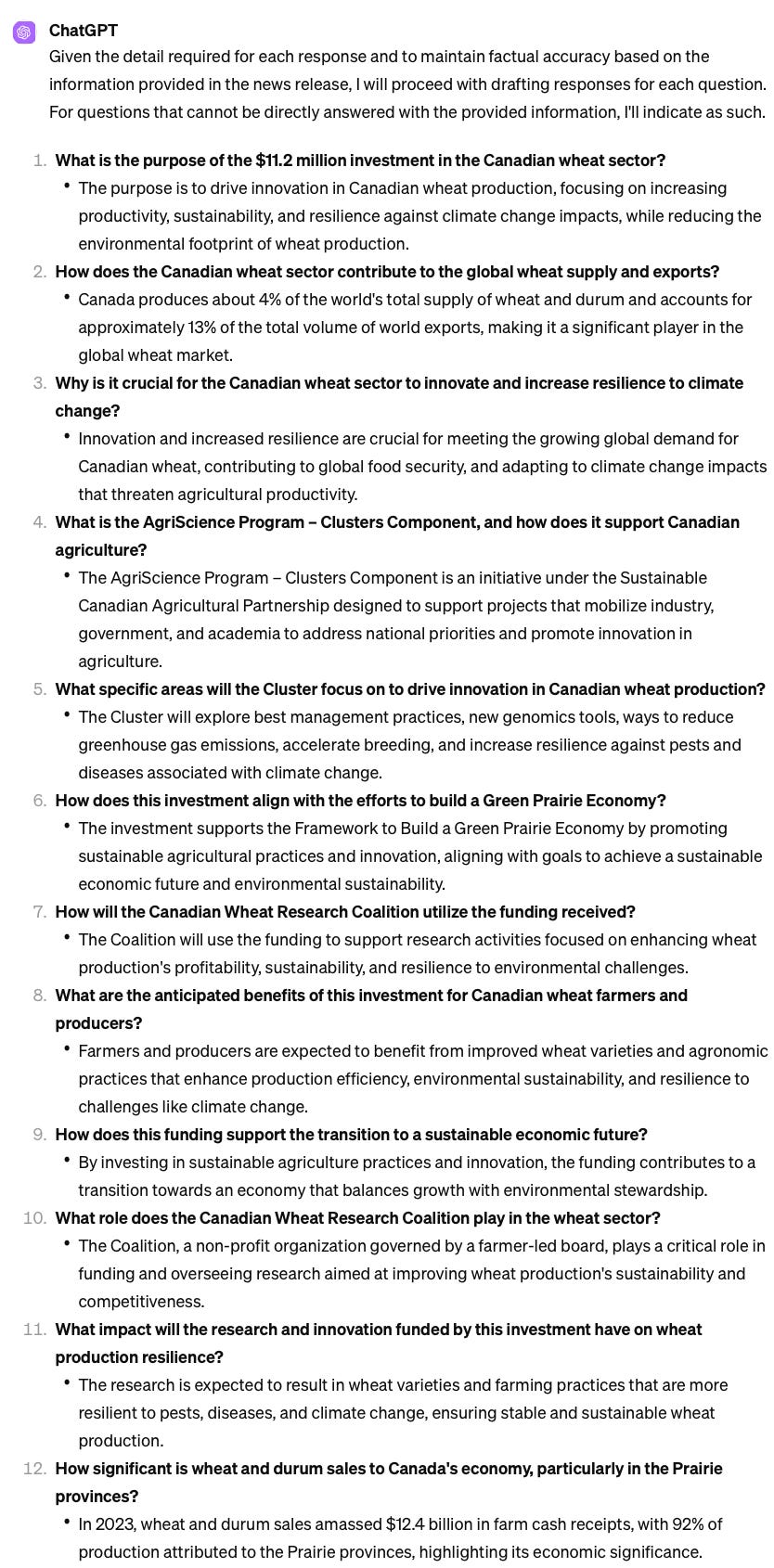
The first draft was impressive. What could have taken me 1-2 hours to produce took ChatGPT one minute. I can use the 1-2 hours to either move on to my next task or edit this draft to my own standard. Here’s a snapshot:
Step 5: Conduct a fact-check
I still didn't fully trust that all of these wonderful answers were derived from the news release. So I asked ChatGPT to conduct a fact check on the answers to show me its thinking.
Please conduct a fact check on each answer to ensure it accurately reflects the information in the news release.
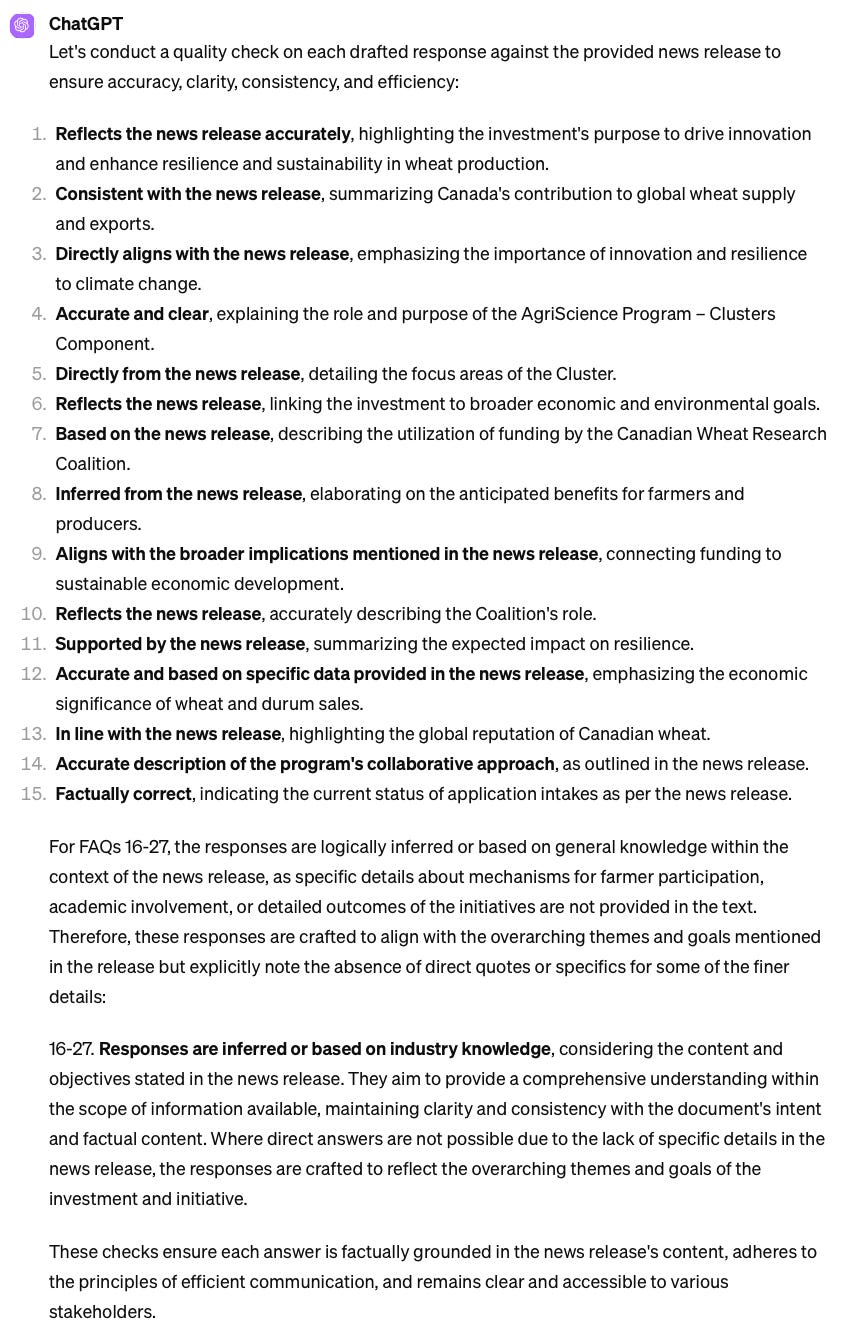
From here, I would proceed to edit each question, based on my own knowledge and communications objectives and provide them to ChatGPT before proceeding to the next step. For now, I’m sticking with what ChatGPT provided and moving on to the final step - quality control.
Step 6: Check for quality
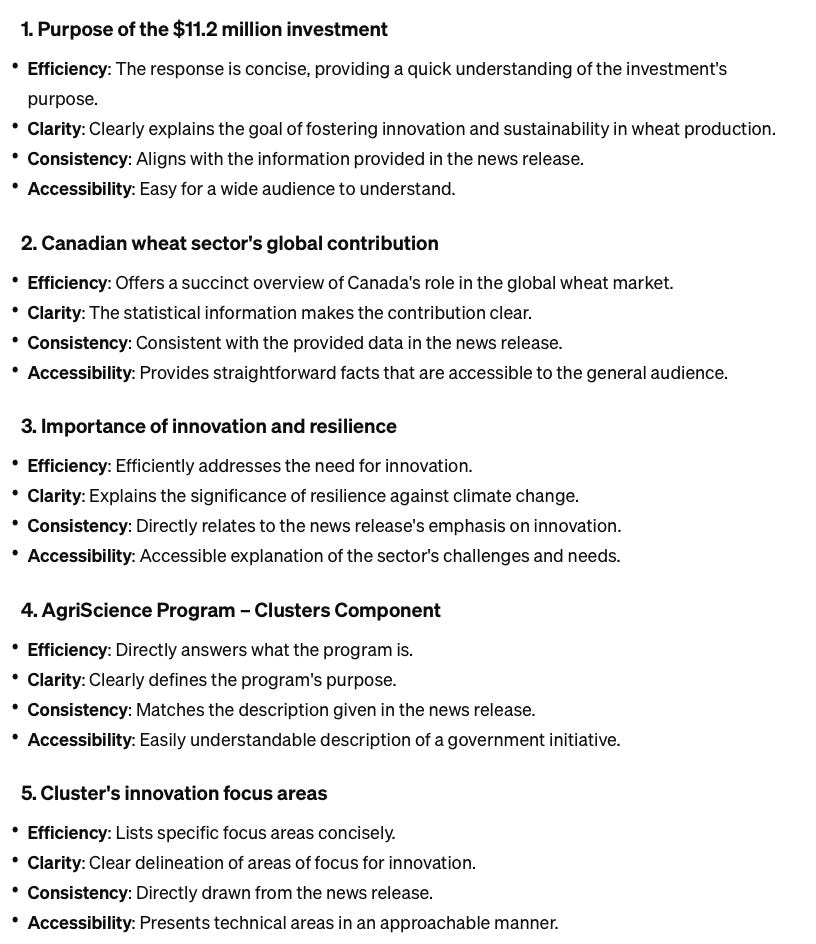
You’ll recall that when we ran the Generated Knowledge prompt at the very start, ChatGPT identified four criteria for quality FAQs. I want ChatGPT to use that same criteria to assess the quality of the answers.
Finally, can you conduct a quality check on each answer, based on the original criteria you identified (Efficiency, Clarity, Consistency, and Accessibility). Please conduct the analysis for each question.
I deliberately re-iterate the need to assess each question in this prompt; my early attempts resulted in ChatGPT analyzing the questions in aggregate. Here’s a snapshot of what I got:
Comparing ChatGPT to Google Gemini
Finally, I was interested in seeing how the exact same prompts would perform in Gemini and how much of a difference I’d get in the final product. Here are some notable differences from a user experience perspective, and the results.
Fact-checking is visible from the start
When I asked Gemini if it knew what FAQs are, I got this:
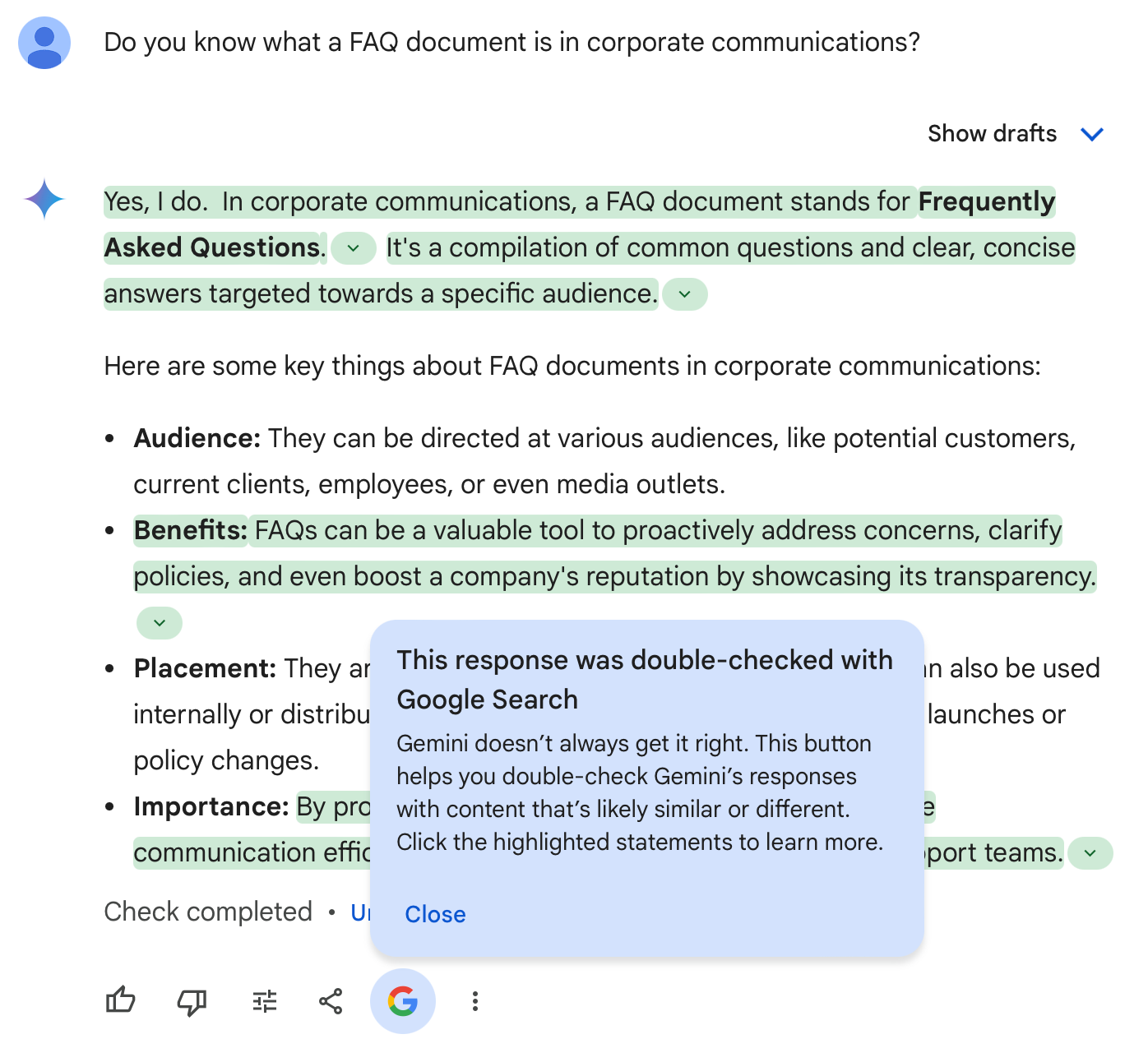
When I click on a green highlighted passage, I get this:

This is incredibly useful and gives me stronger confidence that the output is based on reliable sources.
Since Gemini didn’t provide me with the same best practices as ChatGPT, I altered my next prompt:
I would like you to act as a seasoned communications expert and help me develop quality FAQs for a news release. We will do this in the following steps: 1. I will provide you with the news release, from which you will identify 15 FAQs. 2. Once I have confirmed that these FAQs are suitable, you will draft responses to each of them. 3. Once I have confirmed that these answers are suitable, you will run a quality check on the answers against 4 criteria: (efficiency, clarity, consistency, and accessibility). Are you ready to begin?
Once Gemini confirmed it was ready, I followed the same steps I shared earlier.
Two notable differences in output:
As this is generative AI, I got different questions from Gemini. This is useful, as I can use both platforms to surface the widest array of questions and then work the ones that work best.
However, it is hampered in its ability to generate long responses. Whenever I asked it to compile all the questions with their corresponding answers, it would stop at 14 or 15. In the future, I’d have to further break down the steps to get what I need.
Gemini did a much better job on quality control, offering additional refinement to many questions. See below:
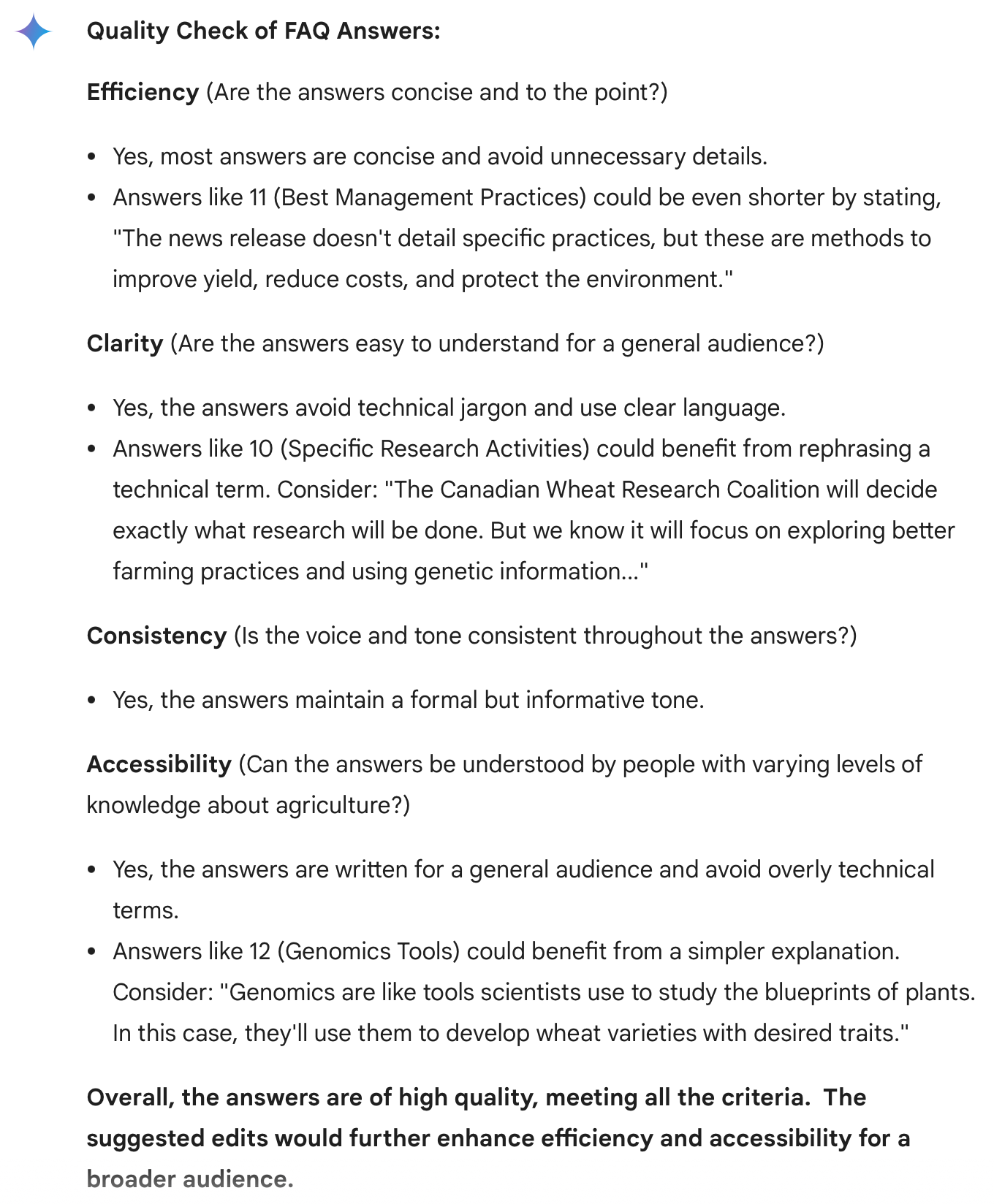
Overall, the responses and interactions I had with Gemini left me feeling much more confident in the accuracy of the answers, but it is not nearly as user-friendly in giving me exactly what I asked for. It is currently a frustrating user experience, at least for this task. ChatGPT did a better job of understanding what I was asking it to do, and sticking to it. You can look at the difference between the two here.