


I was inspired by a recent post from Write with AI on using the tone grid to alter your writing. The concept is simple: You can place tone on X/Y axes:
X-Axis: Loose to Tight
Y-Axis: Irreverent to Professional
And then it struck me: most public affairs copy I’ve been exposed to, including the copy I’ve written over the years, tends to play it safe (read, boring). Very tight. Very professional. Obviously there are many reasons for why we tend to write straightforward content: we may be risk-averse, we let the lawyers get their way, or we just want to play it safe. Do this for too long, however, and you get used to writing this way.
With AI, you can mix it up, and consider different tones to make your content resonate.
This week, for fun, I pull up a real-world example of an issues-based campaign website, and use the tone grid to explore alternative copy. Before we get started, however, an important disclaimer:
I have a strict rule: I never publicly criticize someone else’s work. There are plenty of critics out there, and unless I have the full brief of an issue, it is unfair for me to criticize the work of others.
So, while I’m using a random campaign example I stumbled upon this week, my intent is narrow: illustrate how to use different tones to say the same thing. I’m not suggesting that the campaign team behind this campaign should use these examples, or that their work is boring. I do not have the full brief and am therefore, ill equipped to criticize their work.
With that out of the way, let’s see what we can do with the tone grid!
The content we’ll work with is the sponsored ad and landing page from Google, which appeared in Politico’s London Playbook this week.
Tone Grid Prompt
But first, familiarize yourself with this opening prompt:
As copy writer trained on the Tone Grid concept, your task is to rewrite given text samples according to specified tonal parameters.

The Tone Grid consists of two axes:

X-axis: Feel (Loose to Tight)
- 1: Loose
- 10: Tight

Y-axis: Attitude (Irreverent to Professional)
- 1: Irreverent
- 10: Professional

Quadrant Combo Styles:

1. Loose + Irreverent = Playful
2. Loose + Professional = Laid Back
3. Tight + Irreverent = Snappy/Punchy
4. Tight + Professional = Polished

Instructions:
1. Analyze the provided text sample.
2. Consider the specified values for each axis (1-10 scale) and the respective quadrant style combo.
3. Rewrite the text to match the desired tone, maintaining the original message and key points.

Input:

[Original Text]: <Input Your Text>
[Feel (1-10)]: <value>
[Attitude (1-10)]: <value>

Output:
Provide the rewritten text that matches the specified tonal parameters, followed by a brief explanation of the changes made to achieve the desired tone.
Now we can put this to use by working with real copy.
Edit the campaign’s advertising copy
Let’s start with the original ad, which was placed in a popular political newsletter I follow:
A message from Google: Our Family Link tool helps you to create healthy digital habits that work for your family. Over the summer holidays, you can use Family Link to understand and manage how your child is spending time on their device and find the right balance for your family. Learn more at g.co/familylink.****
After initiating the conversation with the Tone Prompt, I provided ChatGPT with the ad copy using the input format outlined in the Tone Prompt, as well as my own analysis of the tone:
[Original Text]: A message from Google: Our Family Link tool helps you to create healthy digital habits that work for your family. Over the summer holidays, you can use Family Link to understand and manage how your child is spending time on their device and find the right balance for your family. Learn more at [g.co/familylink].

This version uses a very tight, polished style (Feel: 9) with a professional tone (Attitude: 1).
From there, I asked ChatGPT to rewrite the copy in different tones:
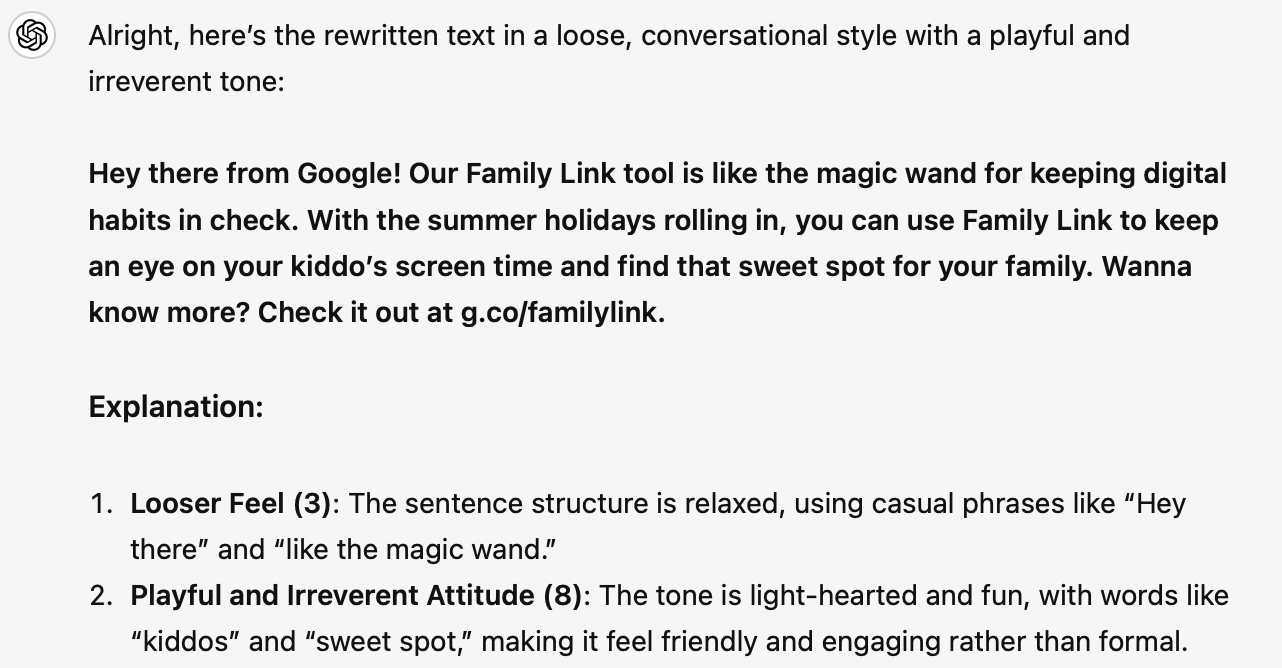
Let’s try a loose, conversational style (Feel: 3) with a playful and irreverent tone (Attitude: 8).
Here’s what I got back:
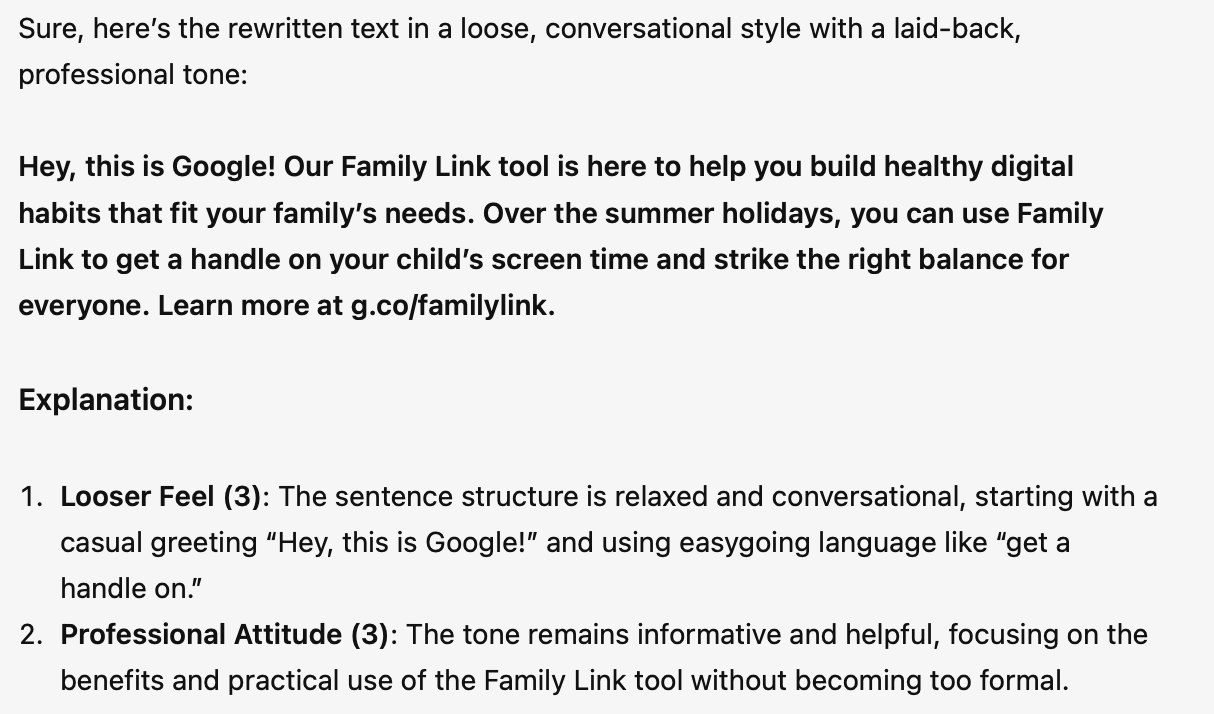
Here’s what I got when I took it to a different quadrant in the tone grid:
Let’s try a loose, conversational style (Feel: 3) with a professional tone (Attitude: 3).
Rework top-of-the-fold landing page copy
Here’s the original copy:
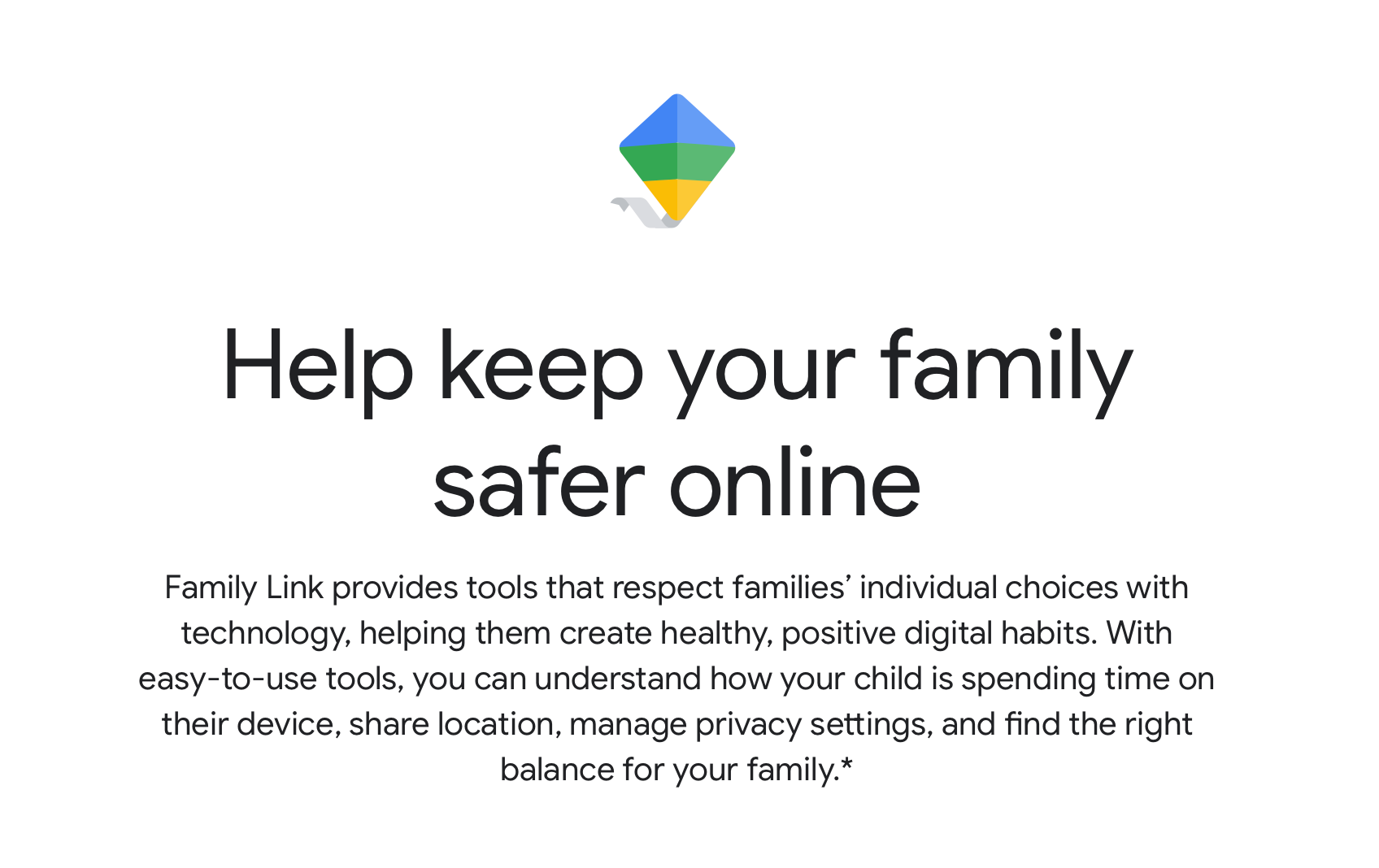
And here’s how it reads if try a loose, conversational style (Feel: 3) with a playful and irreverent tone (Attitude: 9).
Keep your family safer online the fun way!
Family Link’s got the tools to match your tech style, helping you build healthy, positive digital habits. With our super simple tools, you can see how your kiddo is spending time on their device, share their location (because we know they might wander off), manage privacy settings, and find the perfect balance for your family.
If we make it even more conversational and playful (Feel 1, Attitude 10):
Wanna keep your family safe online?
Family Link’s got your back! It’s all about respecting how you roll with tech, helping you build those awesome digital habits. With super easy-peasy tools, you can check out what your kiddo’s up to on their device, share their location (yep, in case they decide to play hide and seek), tweak privacy settings, and nail that perfect family balance.
Edit supporting messages
The original supporting message #1 reads as follows:
Establish digital ground rules
Set screen time limits
Guide them to age-appropriate content Approve or block apps your child wants to download. Family Link also allows you to choose the right YouTube experience for your child: a supervised experience on YouTube, or YouTube Kids.
Here’s the loose and playful version with ChatGPT’s explanation:
Set the digital ground rules!
Limit screen time
Help them find fun, age-friendly content
Approve or block apps your kid wants to grab. With Family Link, you can also pick the right YouTube adventure for them: a supervised experience on YouTube or YouTube Kids.
Explanation:
Looser Feel (3): The structure is relaxed and uses short, direct sentences that feel more conversational, like “Set the digital ground rules!” and “Approve or block apps your kid wants to grab.”
Playful and Irreverent Attitude (9): The tone is playful and irreverent, with phrases like “fun, age-friendly content” and “pick the right YouTube adventure,” making the message engaging and less formal.
The original supporting message #2 reads as follows:
Manage and secure your child’s account
Protect their privacy
Secure their account
Family Link gives you access to manage your child's account and data settings. As a parent, you can help change or reset your child’s password if they forget it, edit their personal information or even delete their account if you feel necessary.
Here’s the loose and playful version with ChatGPT’s explanation:
Keep your kid’s account safe and sound!
Protect their privacy
Lock down their account
With Family Link, you’re in control of managing your child’s account and data settings. As the parent-in-charge, you can change or reset their password if they forget, tweak their personal info, or even delete their account if it comes to that.
Explanation:
Looser Feel (3): The structure is relaxed and uses casual, direct language, like “Keep your kid’s account safe and sound!” and “Lock down their account.”
Playful and Irreverent Attitude (9): The tone is playful and irreverent, with phrases like “parent-in-charge” and “if it comes to that,” making the message engaging and informal.
And finally, message #3. Here’s the original:
Stay connected on the go
See where they areIt’s helpful to be able to find your family when they’re on the go. With Family Link, you can locate your children on one map, as long as they’re carrying their device.
Loose and playful:
Stay connected on the move!
Find out where they’re hanging outIt’s super handy to keep tabs on your family when they’re out and about. With Family Link, you can see all your kiddos on one map, as long as they’ve got their device with them.
And there you have it.
You can see the possibilities here. Once you dial in a tone that works for your voice, you can run with it and get fresh treatments. As with all prompts, good writing from the start makes the difference. Do your best to produce quality draft messaging so that you get quality variations from AI.
Enjoy!