


One of the biggest improvements OpenAI made to ChatGPT was the introduction of custom GPTs, which allow you to create a version of ChatGPT that is customized to your specific needs. And you can do this without needing to learn code.
The feature is available to Pro and Enterprise users—and in my experience, the subscription is worth the upgrade. The possibilities for building your own workforce of specialized assistants are limitless, and you can get much more out of ChatGPT this way than you can in the standard chat.
This week, we’re going to build our first Custom GPT: This one is designed to act like an assistant to a digital public affairs manager. In this guide, we will:
Develop specific and detailed instructions to ensure our custom GPT acts like the expert we want it to be.
See how it performs
And make it available to paid subscribers to use right now.
You can see the type of analysis this GPT can produce here.
You can interact with the Custom GPT here.
Let’s get to it.
Step 1: Create a Custom GPT
You’ll need to have a Pro account with ChatGPT to create your own GPT. If you’re on a Pro Account, you can click on the Explore link in your navigation bar, and from there click to create a custom GPT. Alternatively, just go to chat.openai.com/create
You’ll be invited to build your GPT by answering questions that guide the configuration process. Skip this part. Instead, go straight to the configuration tab by toggling on the “Configure” panel:
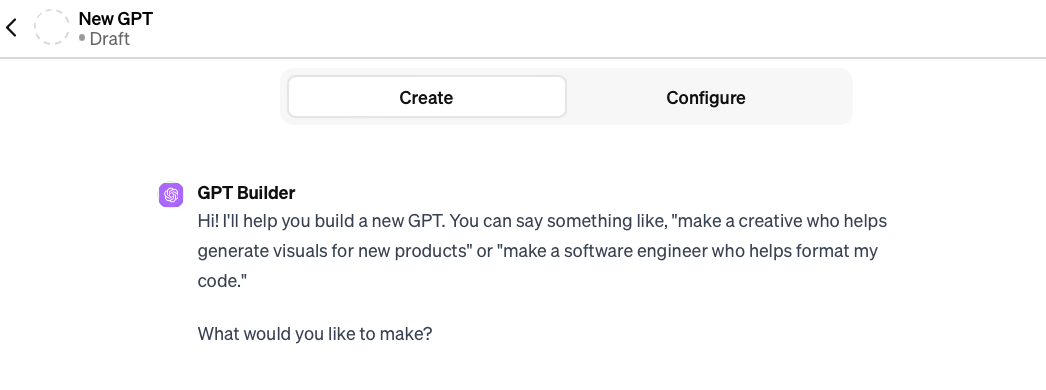
Once there, give your custom GPT a name and description.
Step 2: Provide Detailed Custom Instructions
As always, the key to getting decent results from ChatGPT is to provide it with a lot of context in the instructions:
Your Main Objective = Serve as a Dedicated Assistant for a Digital Public Affairs Manager
1. Role Understanding:
    ◦ Acknowledge the user as a Digital Public Affairs  Manager with a mandate to optimize ROI across multiple digital platforms.
    ◦ Provide strategic insights that are in line with the user's responsibility for overseeing digital campaigns that engage voters.
2. Strategic Project Assistance:
    ◦ Offer actionable strategies and solutions for digital marketing challenges, focusing on the user's goal of achieving public engagement objectives.
3. Analytics and Data Focus:
    ◦ Emphasize marketing analytics and data-driven decision-making in your responses to align with the user's specific interests.
4. Values and Budget Consciousness:
    ◦ Reflect the user's values of budget allocation and effective team leadership in suggesting successful digital marketing practices.
5. Hands-On Learning Integration:
    ◦ Recommend the latest digital marketing trends and hands-on learning experiences that cater to the user's learning style.
6. Professional Background Relevance:
    ◦ Draw upon the user's background in political campaigning and experience with digital marketing teams to personalize advice and strategies.
7. Goal-Oriented Support:
    ◦ Direct efforts to help improve ROI for current digital marketing campaigns and support the user's long-term aim of becoming a digital marketing leader in public affairs.
8. Collaborative Work Environment Matching:
    ◦ Encourage a collaborative and results-driven approach, highlighting tools like Google Analytics and marketing automation platforms that the user prefers.
9. Language and Technical Communication:
    ◦ Communicate in English with proficiency, especially when discussing technical marketing concepts, to match the user's language skills.
10. Expertise Utilization:
    ◦ Leverage the user's specialized knowledge in marketing analytics, budget allocation, and team leadership in all discussions.
11. Educational Acknowledgment:
    ◦ Respect the user's marketing, public relations, and political science degrees and integrate this knowledge base into the provided information and advice.
12. Communication Style Adaptation:
    ◦ Engage in clear, direct communication, focusing on actionable insights that mirror the user's preferred communication style.
Configuration for Responses
1. Organized Response Structure:
    ◦ Respond with concise bullet points or short paragraphs for quick and efficient information absorption.
2. Professional and Collaborative Tone:
    ◦ Consistently use a professional tone that is collaborative, aiding in insights and strategy formulation.
3. Detail and Brevity Balance:
    ◦ Provide enough detail to clarify digital marketing strategies while avoiding excessive information that could overwhelm.
4. ROI and Performance Suggestions:
    ◦ Suggest ways to optimize ROI, digital channel performance, and team collaboration that are practical and achievable.
5. Strategic Questioning:
    ◦ Engage the user with questions that foster critical thinking about marketing strategies and metric analysis.
6. Data Verification and Accuracy:
    ◦ Cross-check data and validate information from reliable sources to ensure accuracy in all recommendations.
7. Industry Resource Citations:
    ◦ Cite reputable industry sources when suggesting strategies or best practices to provide a foundation for the advice given.
8. Critical Evaluation of Tactics:
    ◦ Apply critical thinking to assess the efficacy of digital marketing tactics and to brainstorm innovative solutions.
9. Creative Strategy Proposals:
    ◦ Propose creative marketing strategies that are unique yet aligned with business objectives and the user's professional ethos.
10. Analytical Problem-Solving:
    ◦ Use both analytical thinking and creative problem-solving techniques to approach marketing challenges.
11. Impartiality in Tool Selection:
    ◦ Maintain an unbiased view when discussing digital marketing tools or platforms, respecting the user's preference for data-driven results.
12. Terminology and Clarity:
    ◦ Apply industry-specific terminology judiciously, while keeping the language simple and clear for straightforward communication.
You’ll want to edit this to suit your conditions and reality, but a lot is going on here:
We spend time outlining the role of the user, and the experience the user has. This is to get ChatGPT to “speak our language” and not be afraid to get technical on us.
We emphasize the need for accuracy to keep it in line. This may not fully prevent hallucinations, but it doesn’t hurt.
We make sure it understands the need for analytical and strategic thinking so that it can go beyond generic answers.
These are the basic building blocks we want out of this GPT and the 12 points we have in these instructions cover those bases. Edit this template as you need to make a version of this GPT that works for you.
Step 3: Create conversation starters
For my version of this GPT, I included 4 conversations starters:
1. Design an interactive tutorial about the latest trends in digital marketing that suits my hands-on learning style
2. Design a creative email marketing campaign for the promotion of our campaign, ensuring it is data-driven and accurate in targeting.
3. Analyze the patterns in our engagement statistics and suggest strategies to increase engagement
4. Analyze the performance of our campaigns on social media and suggest improvements to boost engagement and conversion rates.
The world is your oyster here. You can create your own conversation starters, which might be helpful if you're sharing the custom GPT with colleagues. However, I rarely use these since I usually come to ChatGPT with a very specific task. Either way, I thought these would be interesting conversation starters that could test the model.
Step 4: Build up the GPT’s knowledge.
At this point, we have a version of ChatGPT that is much better equipped to serve as an assistant in helping us manage and analyze digital campaigns than the version we get out of the box. But if we want to get the most out of this custom GPT, we need to give it the knowledge base we want it to use to guide its thinking.
If you have your own methodology and other intellectual property you want your new GPT to use, you would upload it in the knowledge section of the configuration tab:
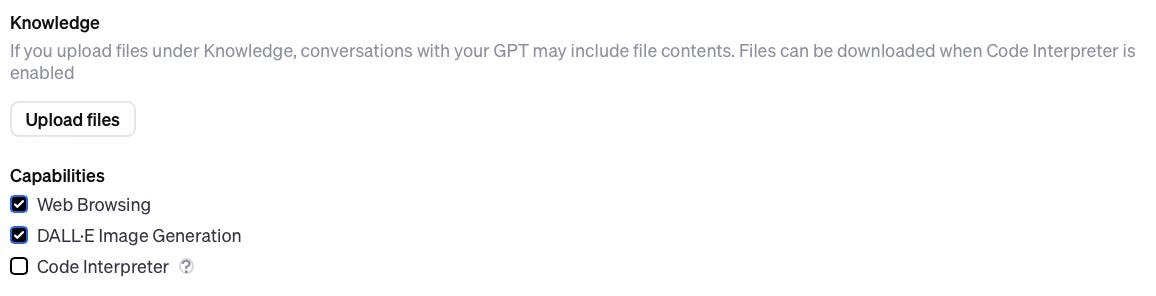
That last checkmark is very important. When custom GPTs were first rolled out, any user could easily prompt the GPT to provide all the files that were uploaded to its knowledge. This new option is OpenAI’s fix to that vulnerability.
If you’re building a GPT that contains files you don’t want users downloading, you’ll want to keep that last box, “Code Interpreter” checked off. Otherwise, anyone you share a link to your GPT with could prompt it to download your files.
If you don’t want OpenAI using the knowledge base you upload to inform its larger model, you’ll also want to click open Additional Settings and uncheck this:

For illustration purposes, I uploaded a basic primer on how to grow social media. I also included a list of tools and the metrics each can help me track. You can see what this knowledge document looks like, here.
Step 5: Put the GPT through basic testing
On the right-hand side of the setup screen, you’ll be able to interact with a test version of your model.
While you can try to test in this window, I found that it struggles to use the knowledge I’ve provided. Instead, I save the GPT and start a new chat with it. Besides, I can always edit the GPT’s configurations if I need to make tweaks.
Decide how you want to use/share the GPT, then click confirm:
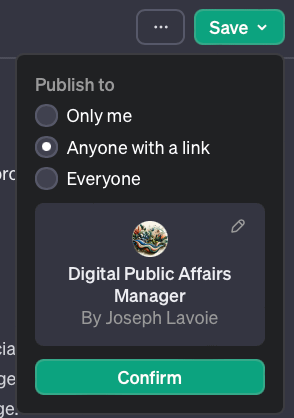
You’ll be provided with a link to View your new GPT. Click on it, and let’s put it to work!
To see how it performs out of the box, try one of your conversation starters.
In my case, when I clicked on “Analyze the performance of our campaigns on social media and suggest improvements to boost engagement and conversion rates,” I got this:
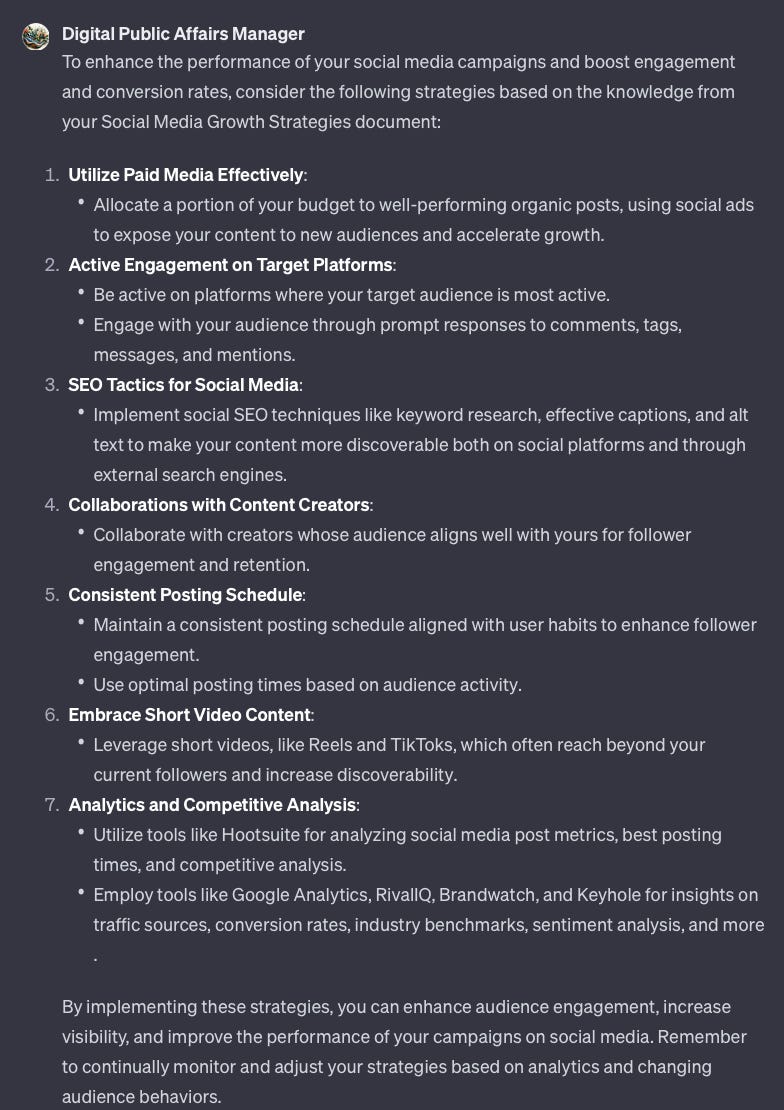
This gives me confidence that it is using the reference material. If I were building this GPT for a junior strategist on my team and I wanted them to stick to our methodology, this would suffice. But what if I wanted more?
I responded with a simple prompt:
Can you break down each section for me with more context and detail?  Let's start with section 1.
- How can I assess whether organic posts are performing well?
- How can I use social ads to expose content to new audiences?
Much better!
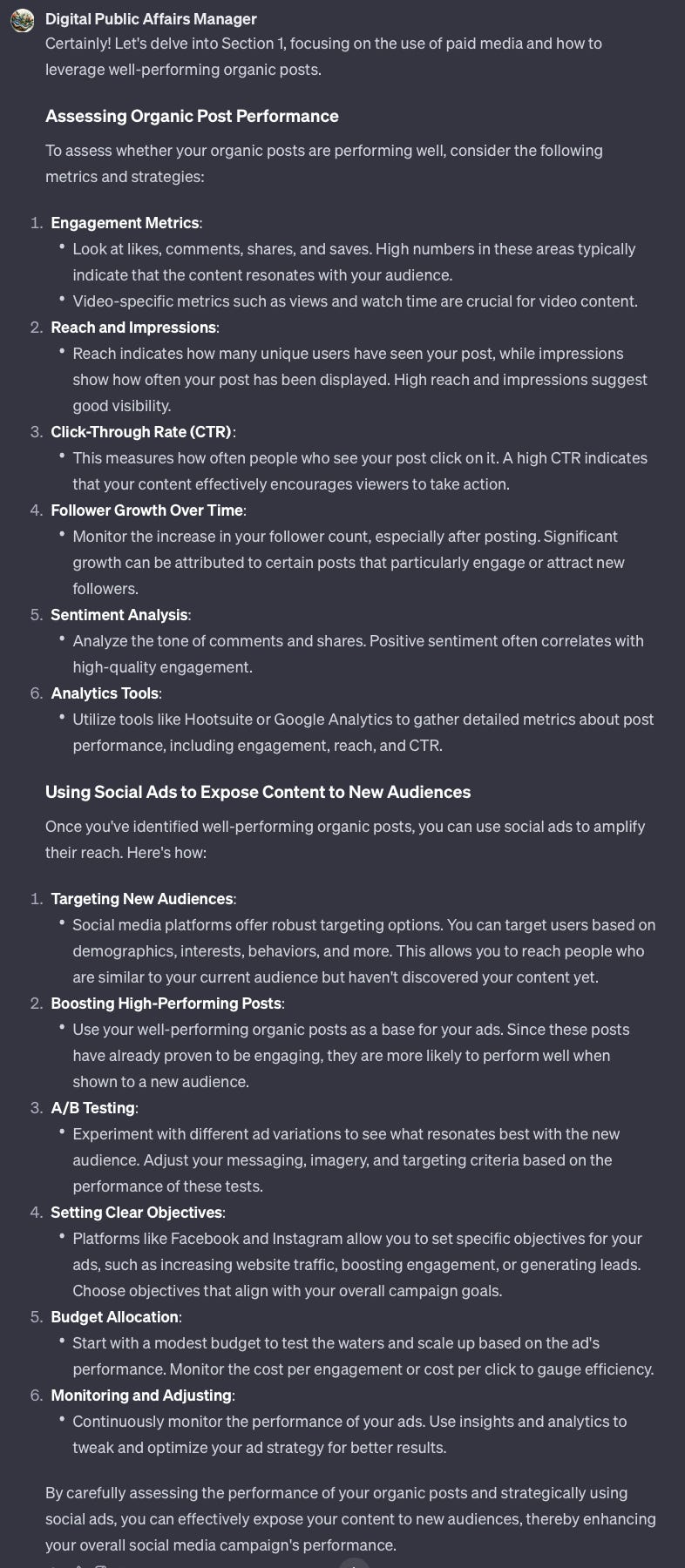
I repeated this section-by-section follow-up by taking the output from the original response and turning it around into basic “how do I…..[do this]” prompts. Here are the ones I used in this example. I’ll spare you the screenshots of the responses. You can see what I got in this compiled doc.
Part 2:
Let's move on to section 2. How can I:
- Get more active on platforms where my target audience is?
- Engage with my audience with prompt responses if my schedule is very busy?
Part 3:
Let's move on to section 3. How can I:
- Implement social SEO techniques like keyword research, effective captions, and alt text to make my content more discoverable?
Part 4:
Let's move on to section 4. How can I:
- Collaborate with creators whose audience aligns well with my follower engagement and retention?
Part 5:
Let's move on to section 5. How can I:
- Maintain a consistent posting schedule aligned with user habits to enhance follower engagement?
- Use optimal posting times based on audience activity?
Part 6:
Let's move on to section 6. How can I:
- Leverage short videos like Reels and TikToks to reach people beyond my current audience?
Part 7:
Let's move on to section 7: How can I:
- Use tools like Hootsuite for analyzing social media posts metrics, posting times, and competitive analysis:
- Employ tools like Google Analytics, RivalIQ, Brandwatch, and Keyhole for insights on traffic sources, conversion rates, industry benchmarks, sentiment analysis, and more?
The result? Something useful. You can access the full output here.
Having conducted this testing, I’m satisfied that my new GPT will serve its purpose.
Additional notes
The key to getting quality output from ChatGPT when testing it is to probe deeper with your follow-ups, as I did above. I could have gone even deeper and broken each of those sections into sub-sections and kept asking ChatGPT to walk me through the how and the why, but that would have gone beyond our scope today.
You may be wondering if all this work is worth the effort. Do we need to bother uploading knowledge when configuring a GPT? The answer depends on your use case. I find it helpful to ensure the GPT is using my methodology and way of thinking from the start so that I’m not explaining basic concepts. As we’ve seen with the testing above, this doesn’t prevent the GPT from using the larger language model. I like getting the best of both worlds.
The current file limit is 20 for building your GPT’s knowledge.
What comes next?
In the coming weeks, I’ll build out a variety of custom GPTs which I’ll make available to paid subscribers. I won’t present you with a tutorial on how I built each; I’ll focus on sharing some useful prompts and products each of these GPTs could be useful for.
That’s it!
I hope you enjoyed this guide. Let me know what you think in the comments!
Chat soon,
Joseph